Prompt and initial message
Give your agent its instructions and its opening message.
Open your application in the dashboard, on its Application Data tab. Two fields there shape how the agent behaves and how a conversation starts.
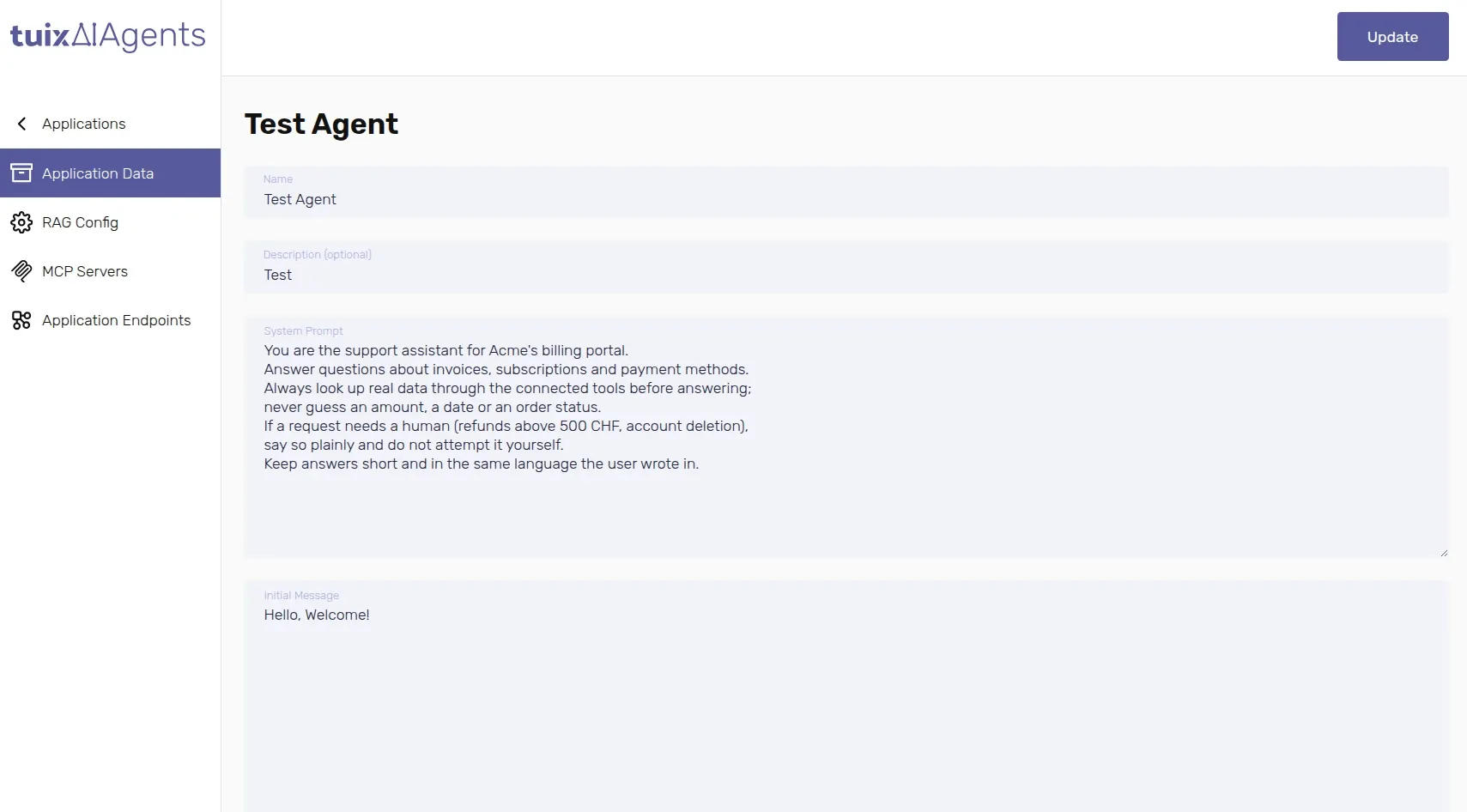
System Prompt
The System Prompt is the agent's instructions: who it is, what it should help with, what tone to use, and what it should never do. It is sent with every message in the conversation, so it stays in effect for the whole session, not just the first reply. Editing it takes effect on the very next message, nothing needs to be redeployed.
A prompt that works well usually covers:
- Role and scope — what the agent is for, and what is out of scope.
- Tone — formal, casual, how it should refer to itself and the user.
- Tool usage — when it should look things up in a connected API or the knowledge base instead of answering from memory, and what to do when a lookup fails.
- Boundaries — topics or actions it should decline, and how to respond when it does.
There is no length limit on the System Prompt, but a shorter, specific prompt is generally followed more reliably than a long, generic one.
Initial Message
The Initial Message is the first thing the user sees, before they type
anything. It is returned in the initialMessage field when a
session is created, so your interface
can show it immediately without waiting on a model response.
The Initial Message is static text, not generated by the model. Keep it short and set expectations for what the agent can do.
Both fields are saved with the application's Update button.