API keys
Create and manage API keys to authenticate with your Tuix AI Agents applications.
An API key authenticates chat and session requests when there is no signed-in user to speak for, a public chat on a marketing site, an internal automation, a script. You create and manage keys in the Tuix dashboard, under your profile menu → API Keys.
API keys are account-wide: one key can call any application that belongs to your account, not just one. Which application it acts on is determined by the endpoint you call it against, see Application endpoints.
Create an API key
In the dashboard, open your profile and choose API Keys from the menu.
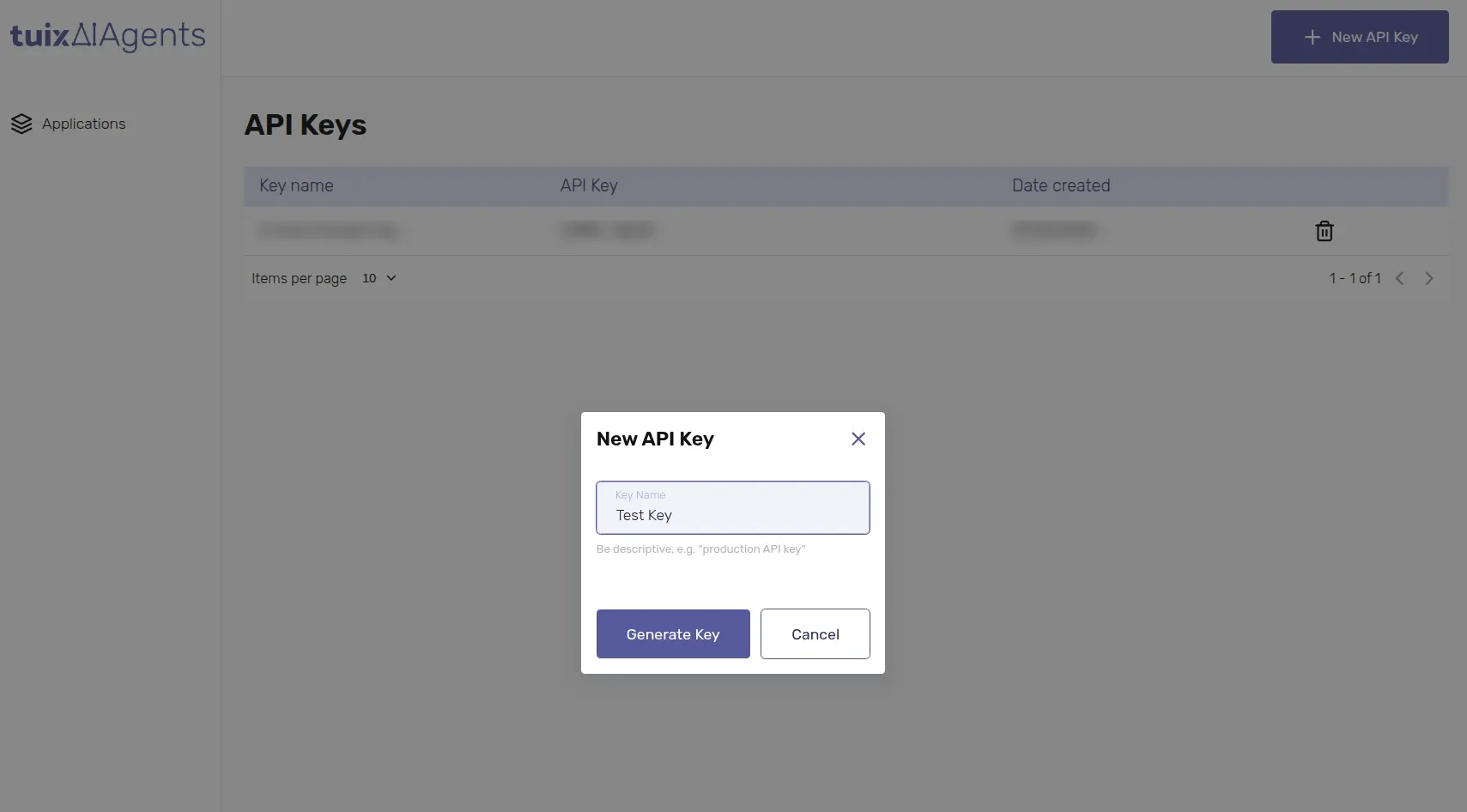
The key is shown only once. After you close the dialog you cannot see it again. Copy it immediately and store it securely.
The table lists your keys by name, with a masked preview of the value and the creation date. Delete a key there when it is no longer needed; the deletion takes effect immediately.
Handling keys
- Keys are private. Treat them like a password: they must never be exposed in client-side code, a public repository, or shipped inside a mobile or browser app.
- A key grants the agent your account's authority, whatever the agent's connected APIs allow it to do, it does with the key's identity, not a specific end user's. Use it only where that is the intended behavior.
- If your chat has to run in the browser or another public surface, put a backend in between: the browser talks to your backend, and only your backend holds the key and calls Tuix AI Agents.
- Store the key in an environment variable (e.g.
TUIX_AI_AGENTS_API_KEY), not in source control. - Use a separate key per environment or per consuming service, so a single key can be revoked without affecting the rest.