Knowledge
Connect a Tuix RAG knowledge base so your agent can answer from your own documents.
Knowledge lets your agent answer from documents you control, contracts, manuals, internal wikis, FAQs, instead of only from what the model already knows. It is powered by Tuix RAG (Retrieval-Augmented Generation): on every message, the agent searches the documents in your knowledge base for the passages related to what was asked and uses them to ground its answer.
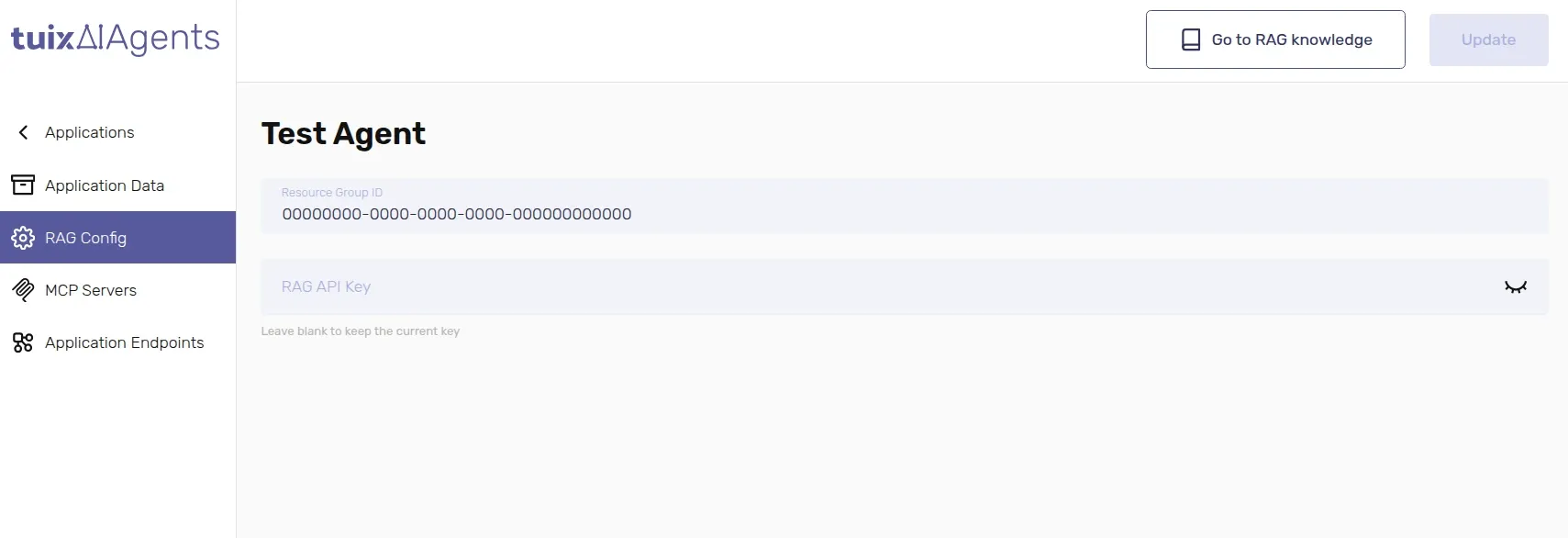
Configure it in the dashboard, on the application's RAG Config tab.
Set it up
In Tuix RAG, create a resource group and upload the documents your agent should know about.
Copy that resource group's ID and paste it into Resource Group ID on the application's RAG Config tab.
Create an API key in Tuix RAG and paste it into RAG API Key.
| Field | Required | Description |
|---|---|---|
Resource Group ID | No | The UUID of the knowledge base in Tuix RAG the agent should search. |
RAG API Key | No | The key used to query that knowledge base. Leave blank to keep the current key. |
Leaving RAG API Key blank when you update the application does not clear an existing key, it keeps it. To replace it, paste the new value.
Once a Resource Group ID is set, the page header shows a Go to RAG knowledge button that opens that resource group directly in Tuix RAG, so you can manage its documents without copying the ID by hand.
Knowledge is optional. An application with no Resource Group ID simply answers from its System Prompt and connected APIs, with no document lookup step.