Application endpoints
Start a session and send chat messages to your agent, per application, over a streamed connection.
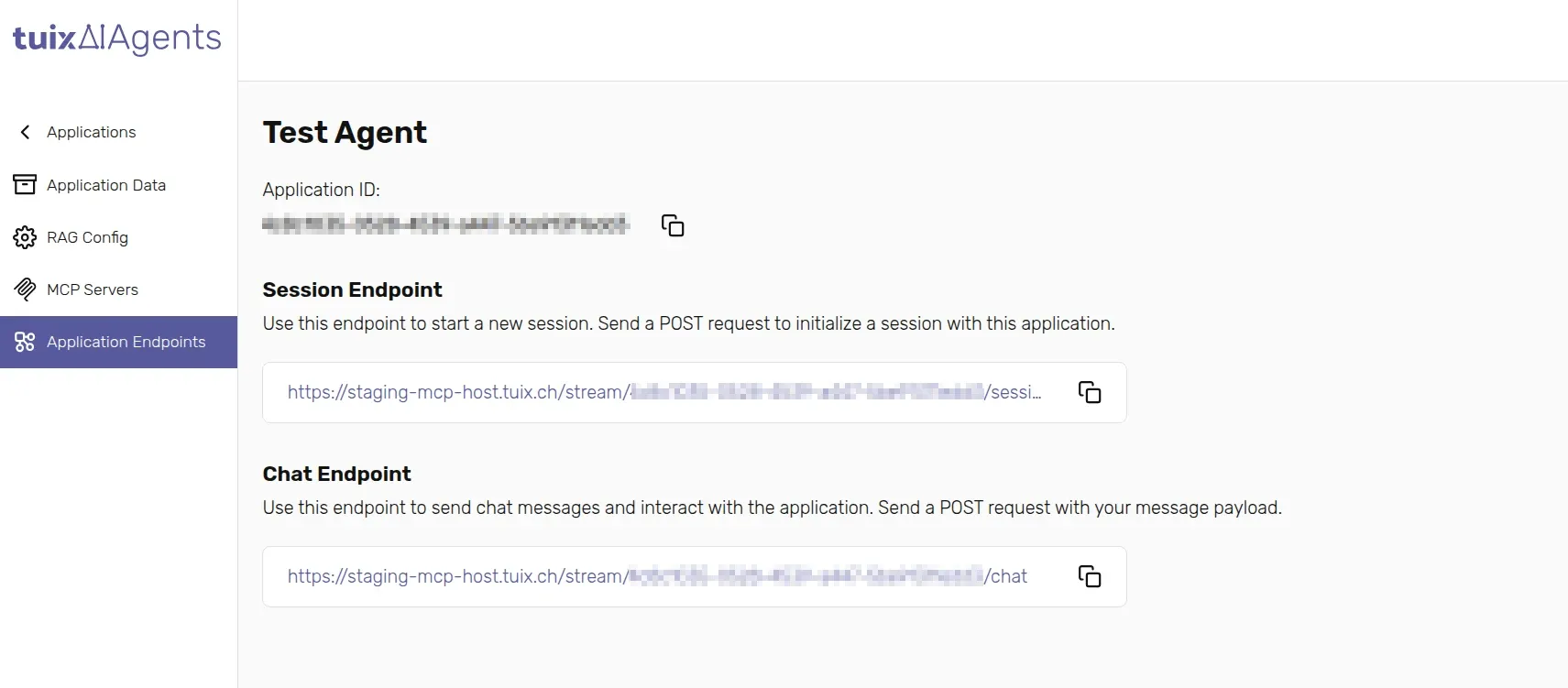
Every application's chat is built on two endpoints, scoped to that
application's ID, and listed for you on the application's
Application Endpoints tab. Both are POST requests and both need one of
the authentication headers described below; only the chat endpoint streams
its response, the session endpoint answers with a single JSON object. A
third endpoint, not shown on that tab, lets you
end a session early.
Authentication
Both endpoints require one of the following headers:
| Header | Required | Description |
|---|---|---|
Authorization | One of Authorization or X-Api-Key | The value your own API expects, typically the end user's Bearer token. Tuix AI Agents forwards it as Authorization: Bearer <value> to every MCP server connected to this application, and from there to your API, so the agent acts with this identity. |
X-Api-Key | One of Authorization or X-Api-Key | An API key from API keys, used to authenticate the call to Tuix AI Agents when Authorization header is not provided |
Whichever header authenticates the call, Authorization or X-Api-Key,
Tuix AI Agents forwards the underlying credential downstream as a single
Authorization: Bearer <credential> header, not as whatever header you
originally sent it in:
| You send | Your API receives |
|---|---|
Authorization: Bearer abc123 | Authorization: Bearer abc123 |
X-Api-Key: abc123 | Authorization: Bearer abc123 |
There is no separate X-Api-Key forwarding at this layer, so your own
API must accept the credential on its Authorization header for the
chat flow to reach it. (A generated MCP server called directly, without
going through Tuix AI Agents, does support a separate X-Api-Key
header, see Authorization.)
An X-Api-Key must never be exposed to the browser or shipped in client
code: anyone who reads it can call every application in your account.
For a public-facing chat, put a backend between your frontend and Tuix
AI Agents, and keep the key there.
Session endpoint
Call this once to start a conversation.
Body
userId can be a random identifier or a real user ID from your own system.
It is only used as an additional identifier for your session; Tuix AI Agents
does not look it up anywhere.
Response
Save sessionId and sessionSecret. Both are required for the rest of
the conversation and cannot be retrieved again afterwards.
initialMessage is the application's configured
Initial Message, returned here so you can show it
immediately, without waiting for the agent to say anything.
Example
These examples authenticate with X-Api-Key, read alongside the base URL
and application ID from the environment. Swap it for an Authorization
header if you're acting on behalf of a signed-in user instead, see
Authentication.
Chat endpoint
Call this to send a message and receive the agent's streamed reply.
Body
Headers
| Header | Required | Description |
|---|---|---|
x-session-secret | Yes | The sessionSecret returned by the session endpoint. |
Authorization / X-Api-Key | Yes, one of the two | Same as for the session endpoint, see Authentication above. |
The response stream
The chat endpoint answers with a stream of typed events rather than a single
JSON payload, so your interface can show progress as the agent works instead
of a blank screen. Each event has a type and a data payload.
| Type | When it happens |
|---|---|
thinking | The agent has started processing the message. |
tool-call | The agent is calling one of its connected tools (an MCP server action). |
tool-result | A tool call finished and returned data. |
chunk | A piece of the agent's text reply, arriving as it is generated. |
complete | The full reply is ready, together with usage/context information. |
error | Something failed, e.g. a downstream API error or the model provider being busy. |
done | The stream has ended. Always the last event, whether the turn succeeded or not. |
A typical turn that calls a tool, here one that creates an order, looks like this:
chunk events carry the reply as it is written, so you can render it
progressively. complete carries the same reply in full, plus
tokensUsed/maxTokens/contextPercentage, useful for showing how much
of the conversation's context budget is used. Always wait for done
before considering the turn finished, and treat a stream that ends
without a done event as a failure, not a silent success.
Example
End a session early
Sessions also end on their own after 1 hour, but you can delete one sooner:
Requires the same Authorization/X-Api-Key header as the other two
endpoints, no body. A successful delete answers 204 No Content. See
Request reference for
the full status codes.
Session duration
A session lasts 1 hour. After that, its chat history and the session
itself expire, and sending a message with an expired sessionId fails. Call
the session endpoint again to start a new one; the previous conversation's
context is not carried over.